Skip to content
Selected work / UI/UX & product design

Tuck.

Local discovery.
Everyday rewards.

Cashback & local discoveryMobile appUnited Kingdom
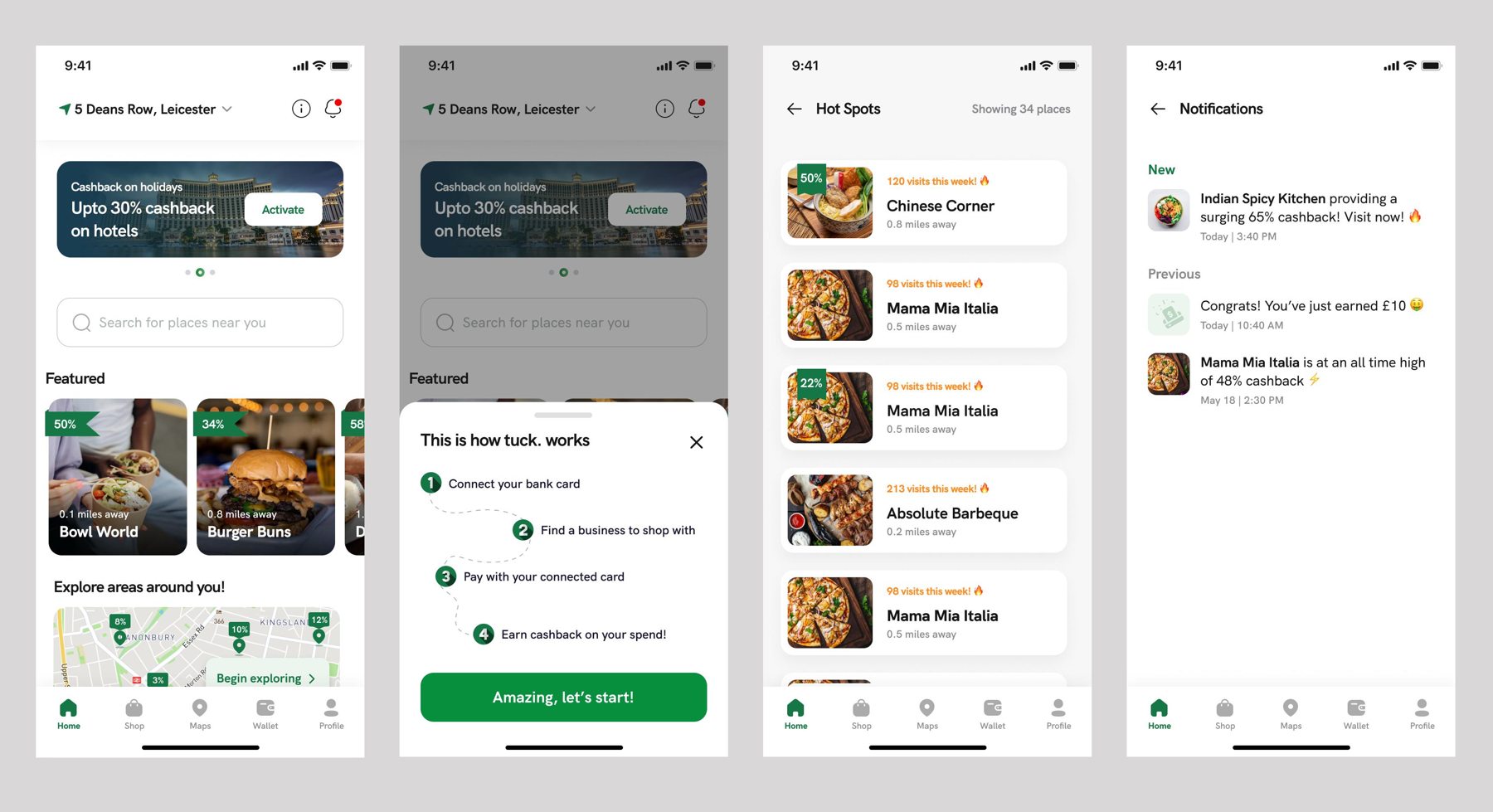
Tuck mobile app designs showing local discovery, cashback guidance, hot spots, and notifications
Tuck · Selected mobile interface designsDiscovery, guidance & engagement
The project

A connected
cashback experience.

Helping people find nearby businesses, understand offers, and follow their rewards.

The featured mobile designs bring location selection, local discovery, brand shopping, cashback guidance, and notifications into one consistent experience.

A shared navigation system connects Home, Shop, Maps, Wallet, and Profile, keeping the main destinations within reach.

Mobile interface designLocation selection & discoveryCashback guidanceMerchant & brand browsingNotificationsShared navigation & components
The problem

Make the next step clear.

Cashback brings several decisions into one journey: how to get started, where to shop, which offers are relevant, and how to keep track of updates.

Users need to understand the earning process while finding useful local businesses without moving through disconnected screens.

The challenge: connect discovery and cashback guidance in a mobile experience that is easy to understand and navigate.

The solution

A simple path
from discovery to cashback.

The design pairs nearby offers with clear guidance, consistent merchant cards, and a dedicated place for reward and offer updates.

Connect → Discover → Shop → Earn
01 / Getting started

Explain how it works.

Problem: Users need to understand how shopping leads to cashback.

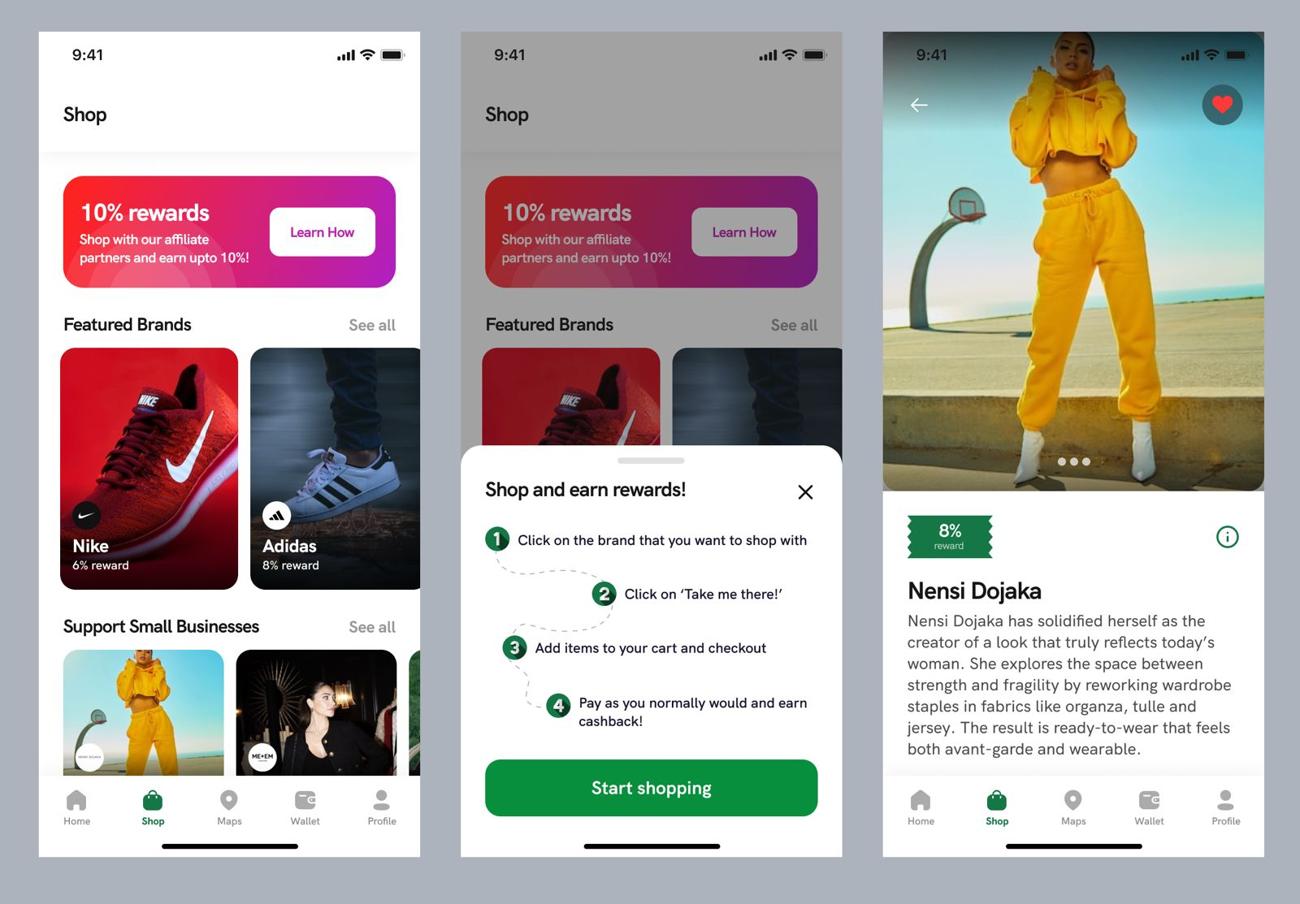
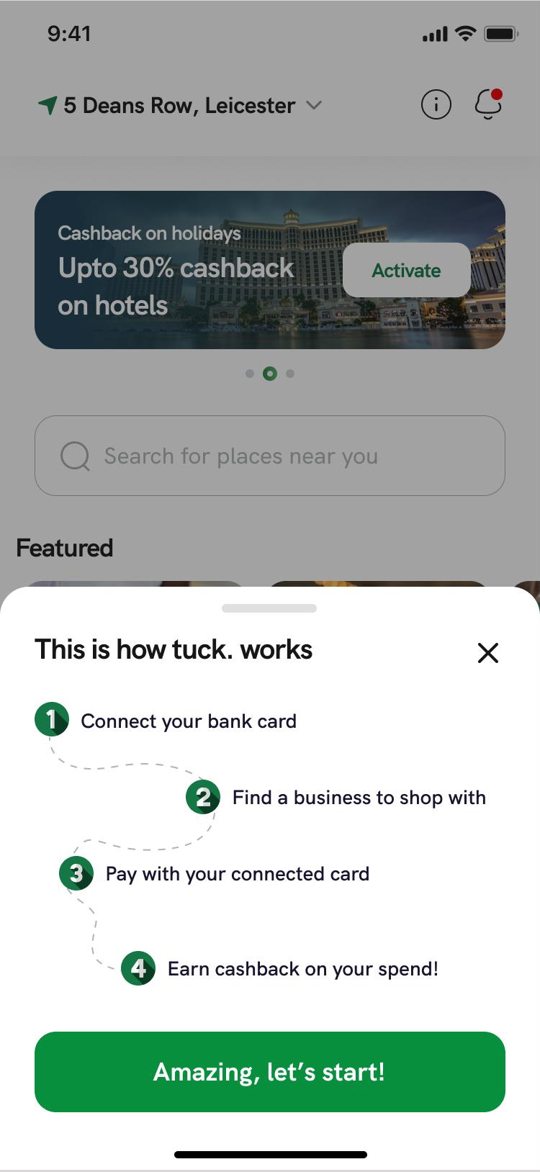
Design response: A four-step guide explains connecting a bank card, finding a business, paying with the connected card, and earning cashback.
02 / Local relevance

Start with what is nearby.

Problem: A broad set of offers needs a useful entry point.

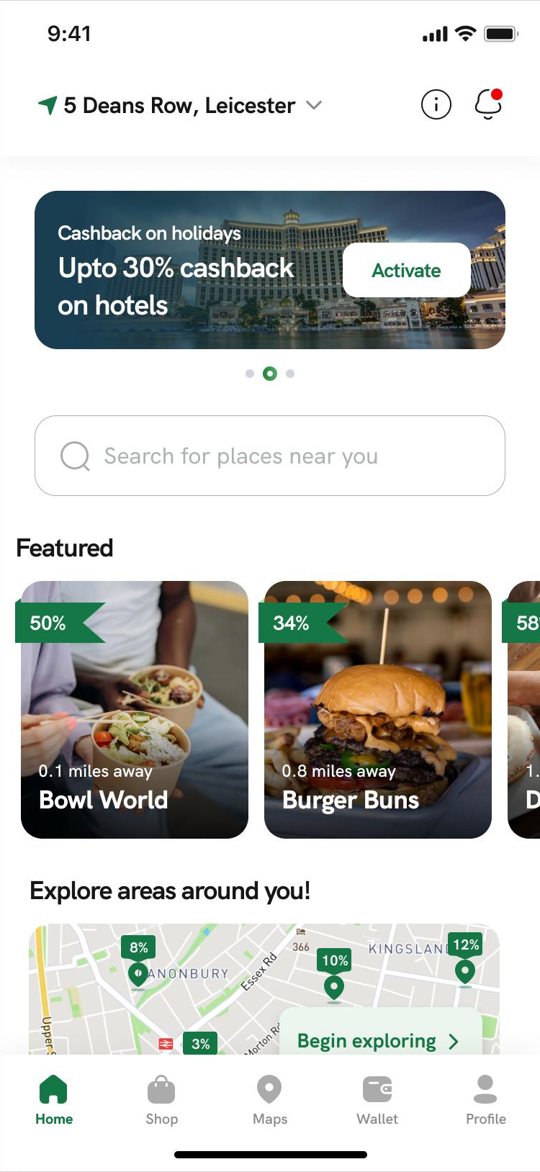
Design response: Location, search, featured businesses, distances, cashback labels, and a map help organize local discovery.

03 / Offer browsing

Keep options easy to scan.

Problem: Users need to compare businesses without opening every listing.

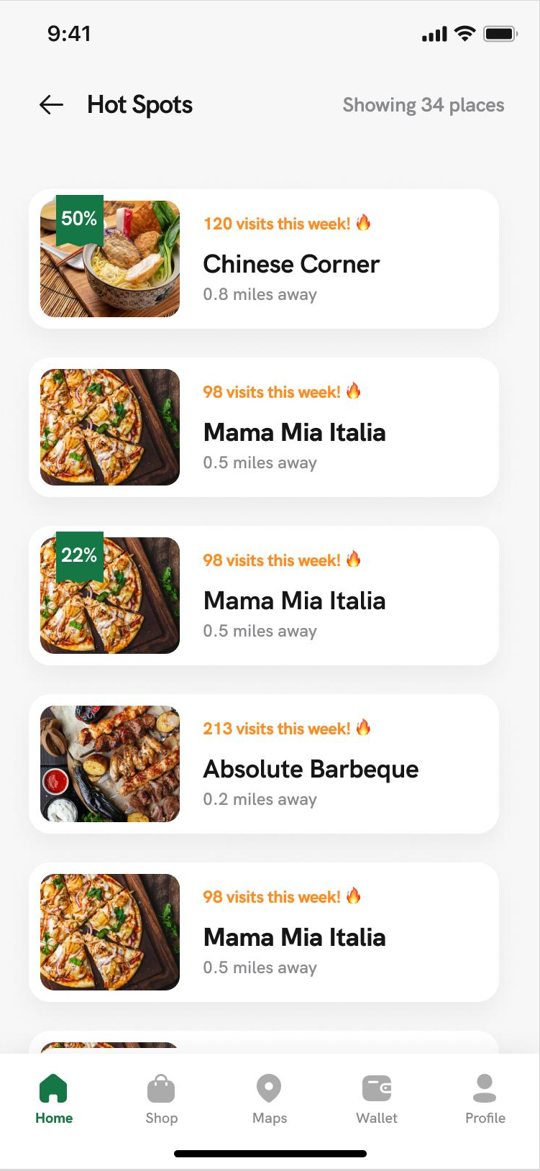
Design response: The Hot Spots list uses consistent cards with merchant imagery, names, distance, and offer information where available.

04 / Updates

Give rewards a place.

Problem: New offers and cashback updates need to remain easy to find.

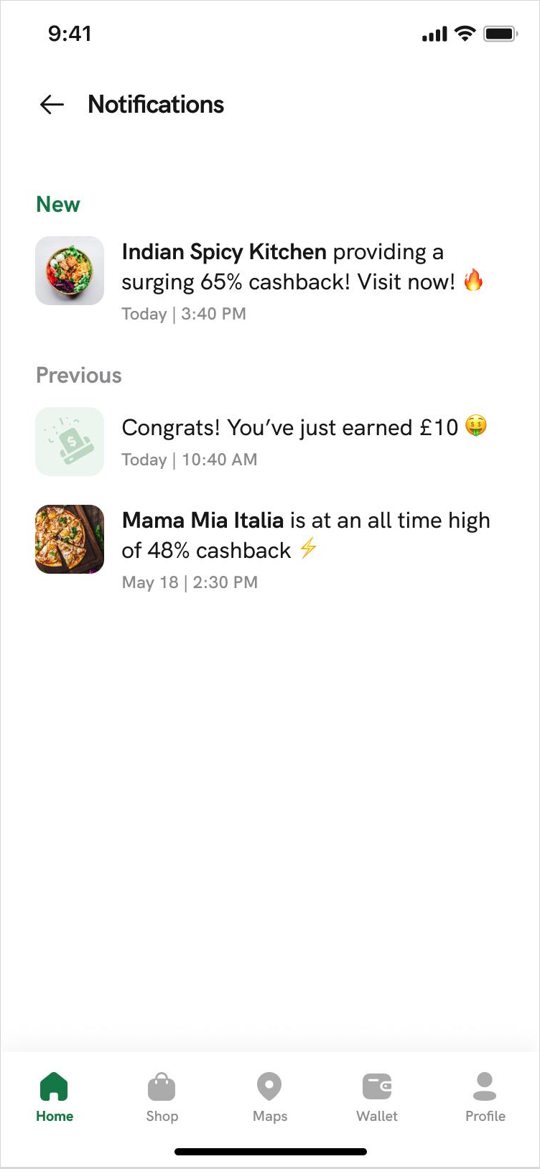
Design response: A notification feed separates new and previous updates, with merchant images, timestamps, and cashback confirmations.

Selected interface details

Everyday discovery.
A consistent experience.

Tuck home screen with location, featured cashback offers, search, and nearby map

Local discovery

Location, featured merchants, search, and a map introduce nearby places and offers.

Tuck four-step cashback explanation in a bottom sheet

Cashback guidance

A focused explanation connects card setup, business discovery, payment, and cashback.

Tuck Hot Spots merchant list with photos, distances, and offer labels

Merchant browsing

A repeatable card layout makes business names, distances, and offer information easy to scan.

Tuck notifications showing new offers and a cashback confirmation

Offers & reward updates

New and previous notifications keep merchant offers and cashback confirmations together.

Shopping & rewards

Discover a brand.
Understand the reward.

Tuck shopping screens showing featured brands, the shopping rewards guide, and a brand detail page
Featured brands → Shopping guidance → Brand detail

Brand discovery

Featured brands and small businesses appear with imagery and reward percentages, giving users a clear starting point.

Shopping guidance

A step-by-step explanation shows how to select a brand, continue to its store, check out, and earn cashback.

Brand detail

A dedicated page brings together brand imagery, a description, reward information, and a favorite control.

Location selection

Relevant offers
start with the right location.

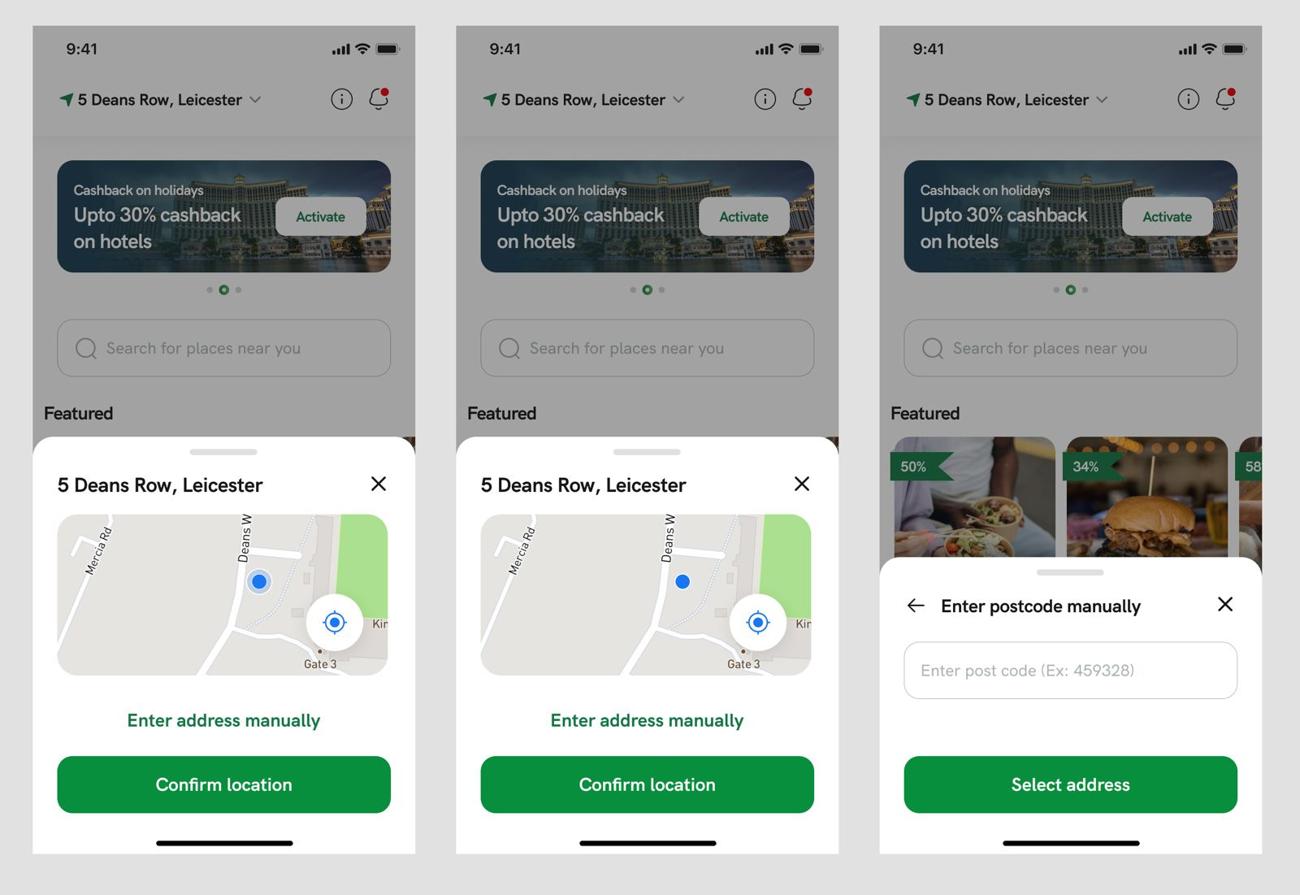
Tuck location selection screens showing map confirmation and manual postcode entry
Map-based confirmation & manual postcode entry

Confirm on the map

A location sheet displays the selected address and map position, with a clear confirmation action.

Enter an address manually

An alternative postcode entry flow lets users choose their location without relying solely on the map.

ILMG · UI/UX & Product Design